 Help Center
Document Sharing
You can choose to share the documents you upload into the board member login area with either the website and/or the owner login portal. You can do this by 1st placing the documents into a folder
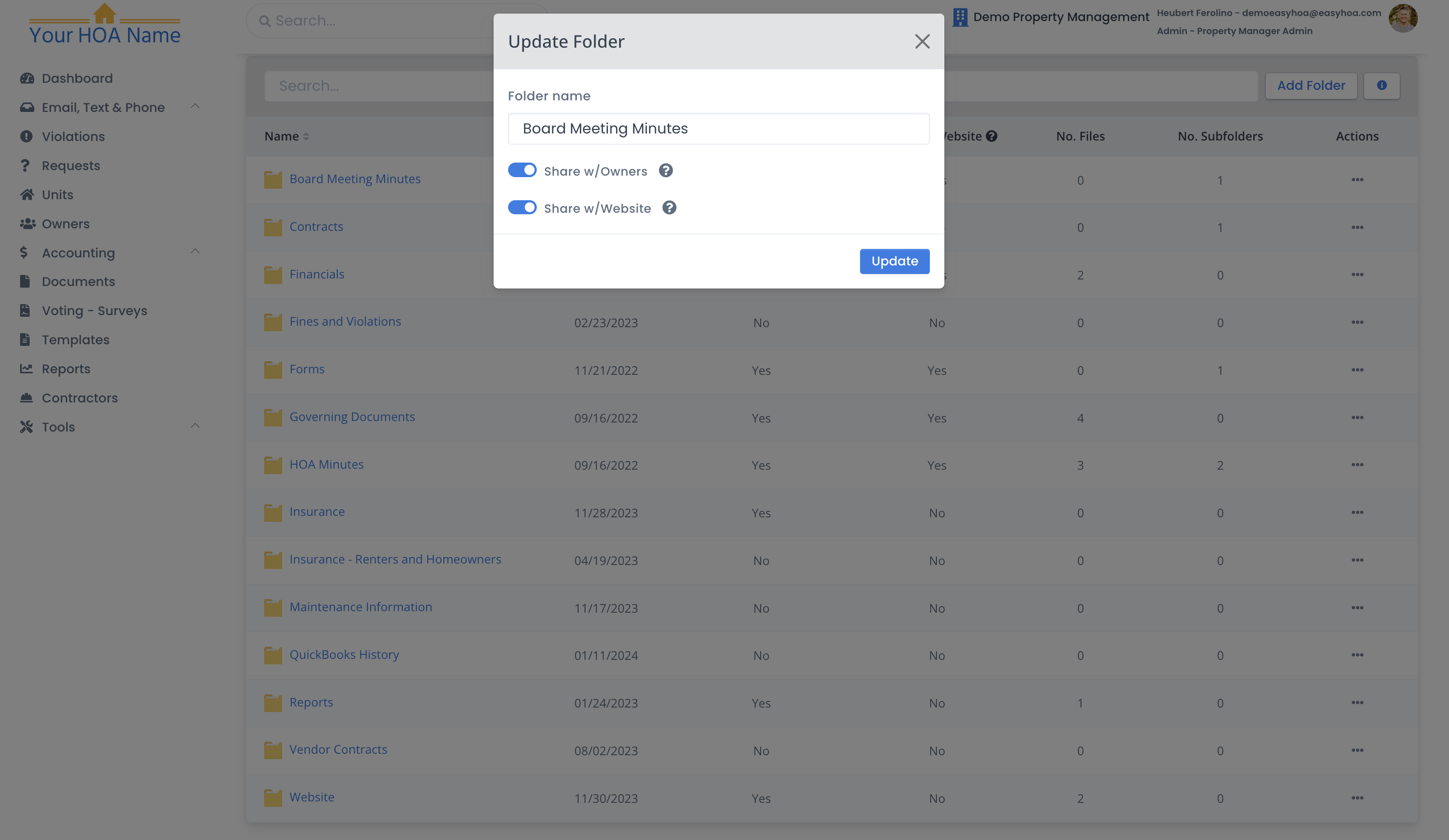
If you choose to share your HOA document folder with “Website”, it means that the documents in that folder can be viewed via the HOA website that Easy HOA provides for your HOA.
Note: This means that anyone on the internet can view the documents in the shared folders
If you choose to share your HOA document folder with “Owner” it means that the documents in that folder can be viewed via the Owner portal when owners login to view their account online.
If you select none of these options, the documents in these folders will only be accessible to board members through the board member portal. If you select both of these options(Website and Owner), it means that the general public can view the documents in your folder via your HOA website and your owners can view the document folder via their owner portal.
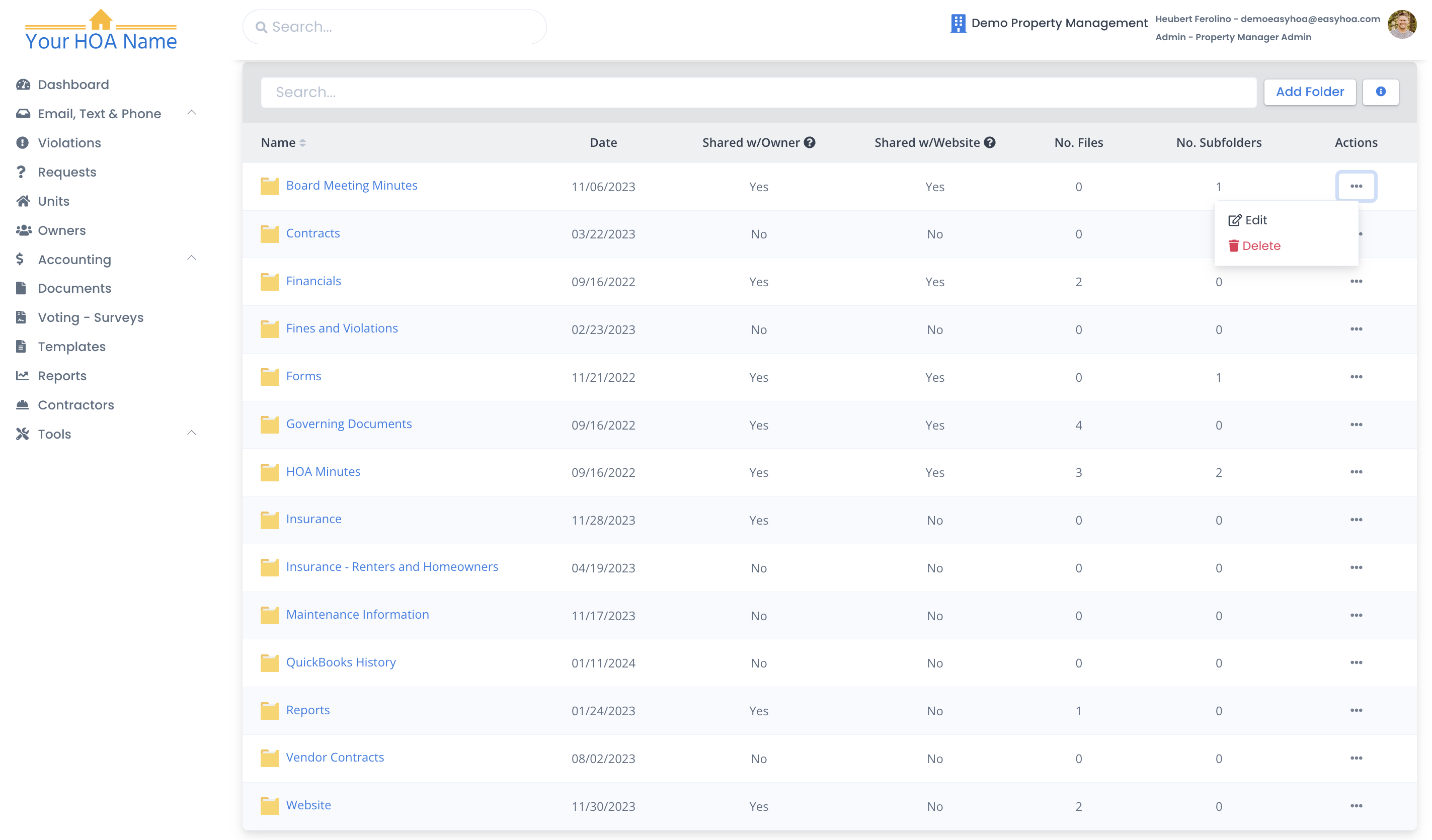
To edit the settings of your document folders, find a document folder that you need or want to edit and click on the “…” menu option under “actions” and click on “edit”.
Note: You can only control the access of a document by first placing it in a designated folder
What it looks like for the owner:
When you share a document with an owner in the document section of the dashboard, like above, it will show up in the HOA documents for the owner.

The owner has 3 sections of their documents.
- HOA documents
- Specific owner documents: that's when an admin adds a document to the owner profile. Only the owner can see this (if it is husband and wife who live in the unit, but you only but a document in "Regans" owner documents, only "Regan can see it).

- Unit documents: that's when an admin adds a document to the unit profile. This means, anyone who is assigned to this unit can see these documents in unit documents.
